
Shopify Inbox Export
Export Shopify Inbox agent conversations to CSV.
Shopify Inbox has no native export button. Get your open and closed agent conversations out of Inbox and into a clean CSV format — for AI analysis, chargeback documentation, customer transcripts, and searchable archiving.
How it works
From Inbox to your CSV in a few clicks.
Step 01: Open Shopify Inbox in your browser and click on Shopify Inbox Helper extension
Click to expand
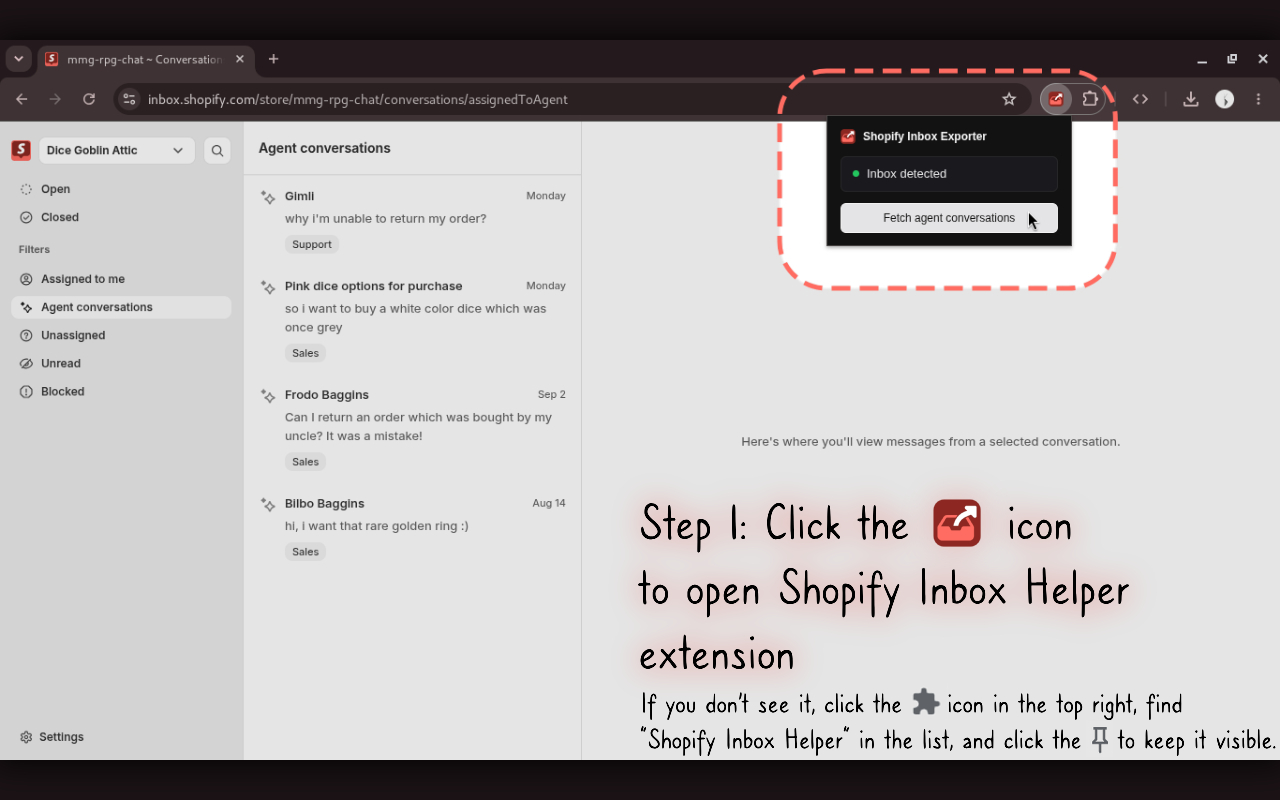
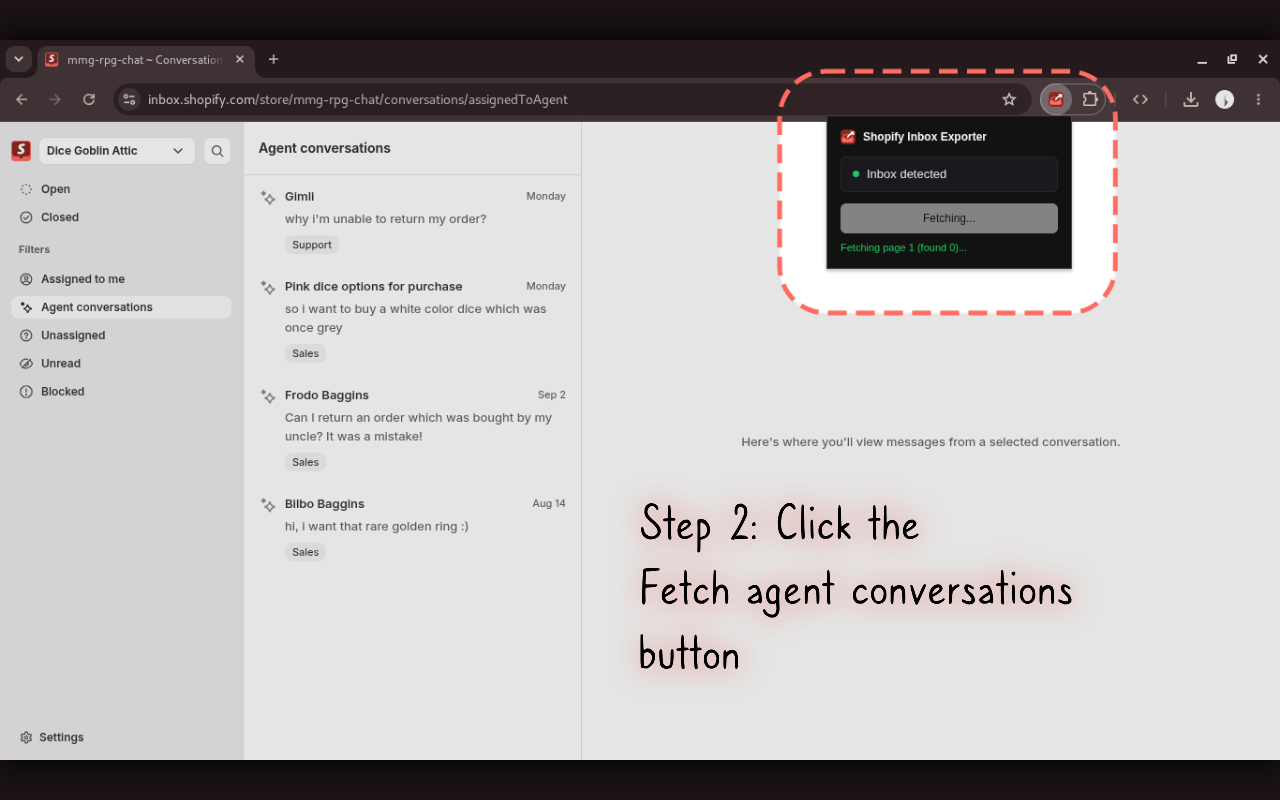
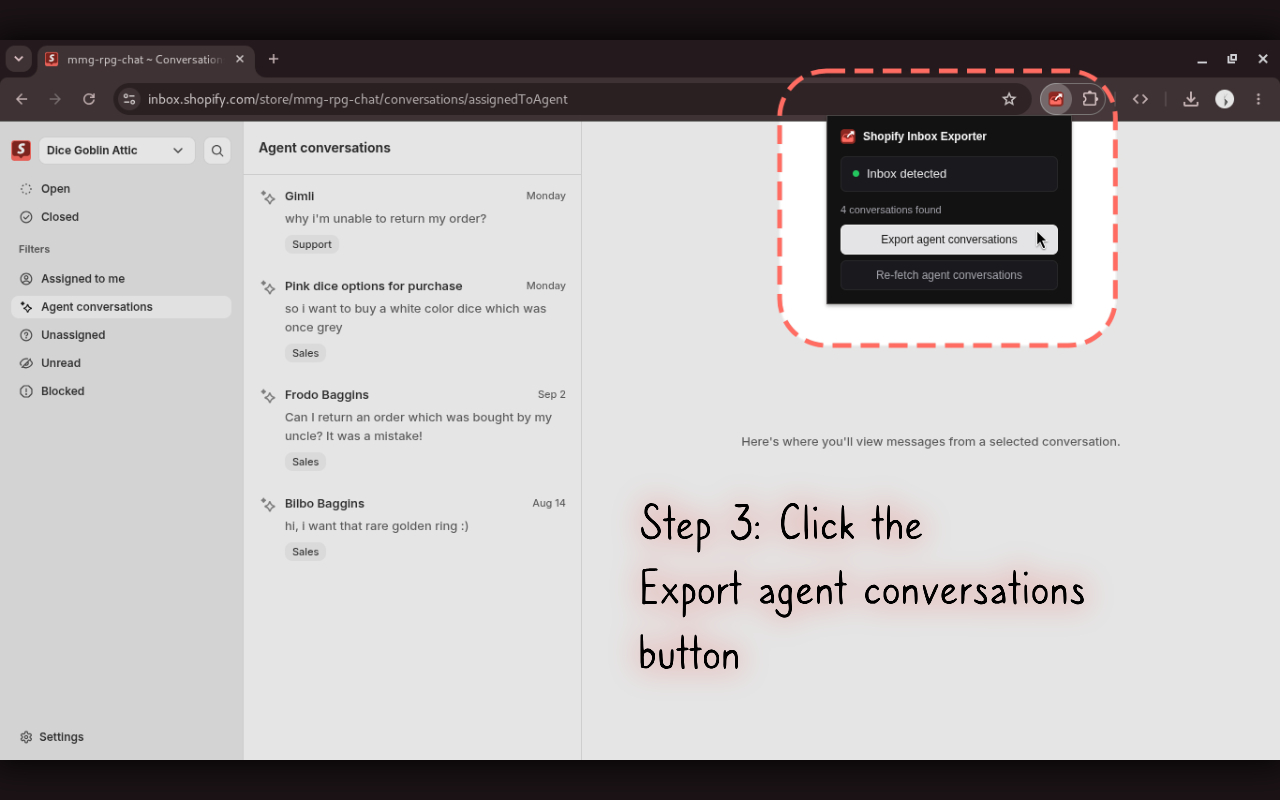
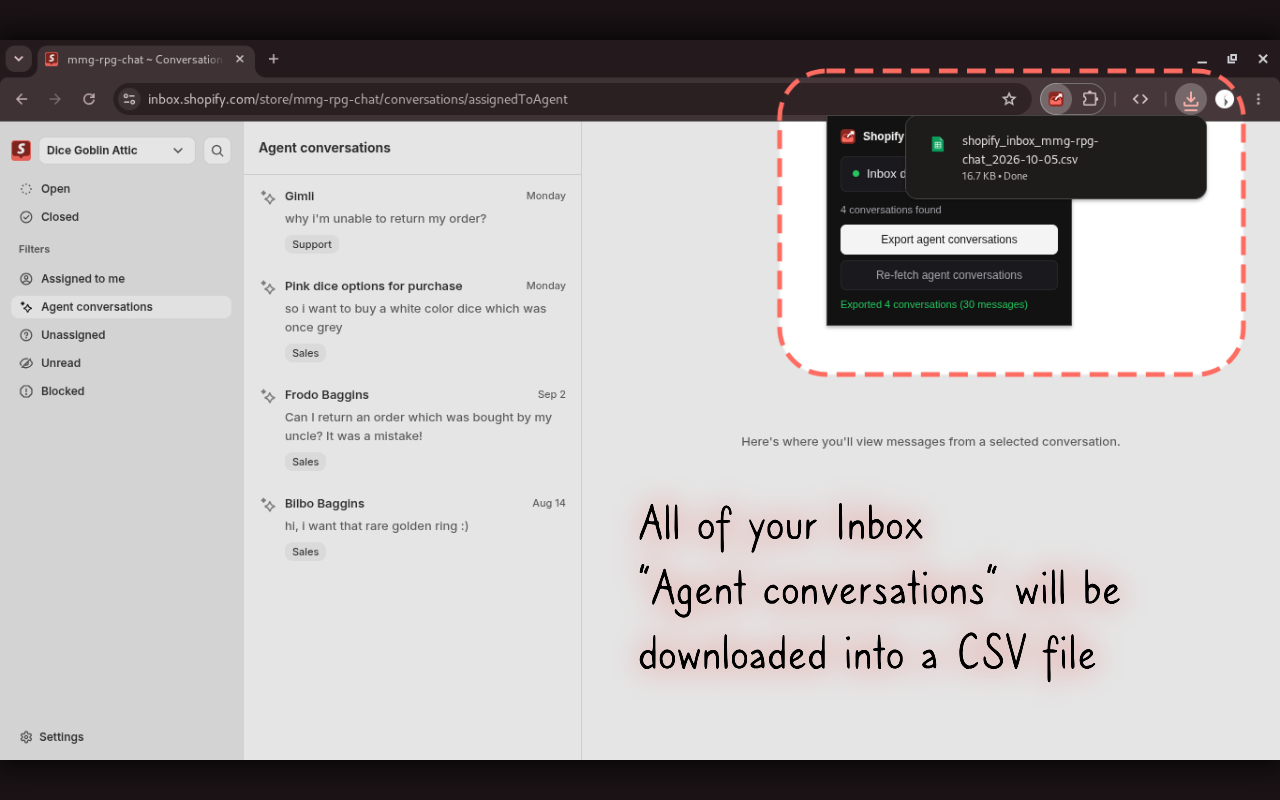
Looking for a download button in Shopify Inbox? By default, Shopify provides no built-in way to export chat history or download closed agent conversations. Shopify Inbox Helper solves this directly in your browser without copying and pasting messages one by one.
What can you do with exported agent conversations?
Once your conversations are exported into a structured document, you can work with them however you normally work with customer data.
Analyze customer questions with AIPass closed agent chat history into ChatGPT, Claude, or your own scripts to find recurring customer questions and friction across conversations.
Provide customer chat transcriptsDeliver full, dated conversation transcripts when customers request copies of their support discussions.
Contest chargebacks with proofPreserve complete customer interaction history outside Inbox as documented evidence for payment disputes.
Archive important conversationsMaintain your own searchable backup of agent interactions outside the Shopify Inbox interface.
Frequently Asked Questions
Shopify Inbox does not have a built-in export button. Shopify Inbox Helper detects your active session inside Shopify Inbox and allows you to fetch your closed and open agent conversations, exporting them directly into a structured CSV file.
Currently, Shopify Inbox Helper only supports exporting agent conversations (which include both open and closed conversations). Non-agent chats, such as conversations handled by store staff, are excluded for now, but staff conversation export is actively in progress and planned for a future update.
Yes. When a customer or team member requests a transcript of an agent conversation, you can export the full chat history with timestamps and message bodies without copying and pasting messages one by one.
Yes. When dealing with payment disputes and chargebacks, having dated customer chat records is critical. Shopify Inbox Helper exports complete conversation threads to include in your dispute evidence.
Yes. The exported CSV format makes it easy to upload your chat history into ChatGPT, Claude, or other LLMs to identify common customer questions, detect support friction, and improve store content.
No. Shopify does not currently provide a public Admin API to read or export Shopify Inbox conversations. Shopify Inbox Helper works securely via your browser session to export the data directly to your local computer.
No. All conversations are fetched directly within your authenticated Shopify session and processed 100% locally on your computer. Zero chat data or store records are transmitted to external servers.
No. The extension is intended to be used directly from the Shopify Inbox page in Chrome.
No. Shopify Inbox Helper is an independent Chrome extension and is not affiliated with or endorsed by Shopify.